
How to Architect a Scalable Chatbot for WhatsApp: Infrastructure & Routing Guide
Architecting a Resilient Chatbot for WhatsApp
Building a basic chatbot for whatsapp is often a developer's first foray into conversational automation. However, transitioning from a simple script that auto-replies to a few messages into a high-volume, multi-tenant conversational engine requires a fundamental shift in architecture. When marketing campaigns launch or customer support volumes spike, a poorly designed chatbot infrastructure will drop webhooks, lose conversational context, and ultimately damage the customer experience.
For SaaS platforms, marketing agencies, and enterprise technical teams, the challenge is not just writing the conversational logic. The true challenge is building a fault-tolerant infrastructure that handles session management, intelligent message queueing, and reliable webhook routing. This guide provides a comprehensive architectural framework for deploying a highly scalable chatbot for WhatsApp, ensuring your automation logic is backed by enterprise-grade infrastructure.
1. The Core Architecture of a Production-Ready Chatbot
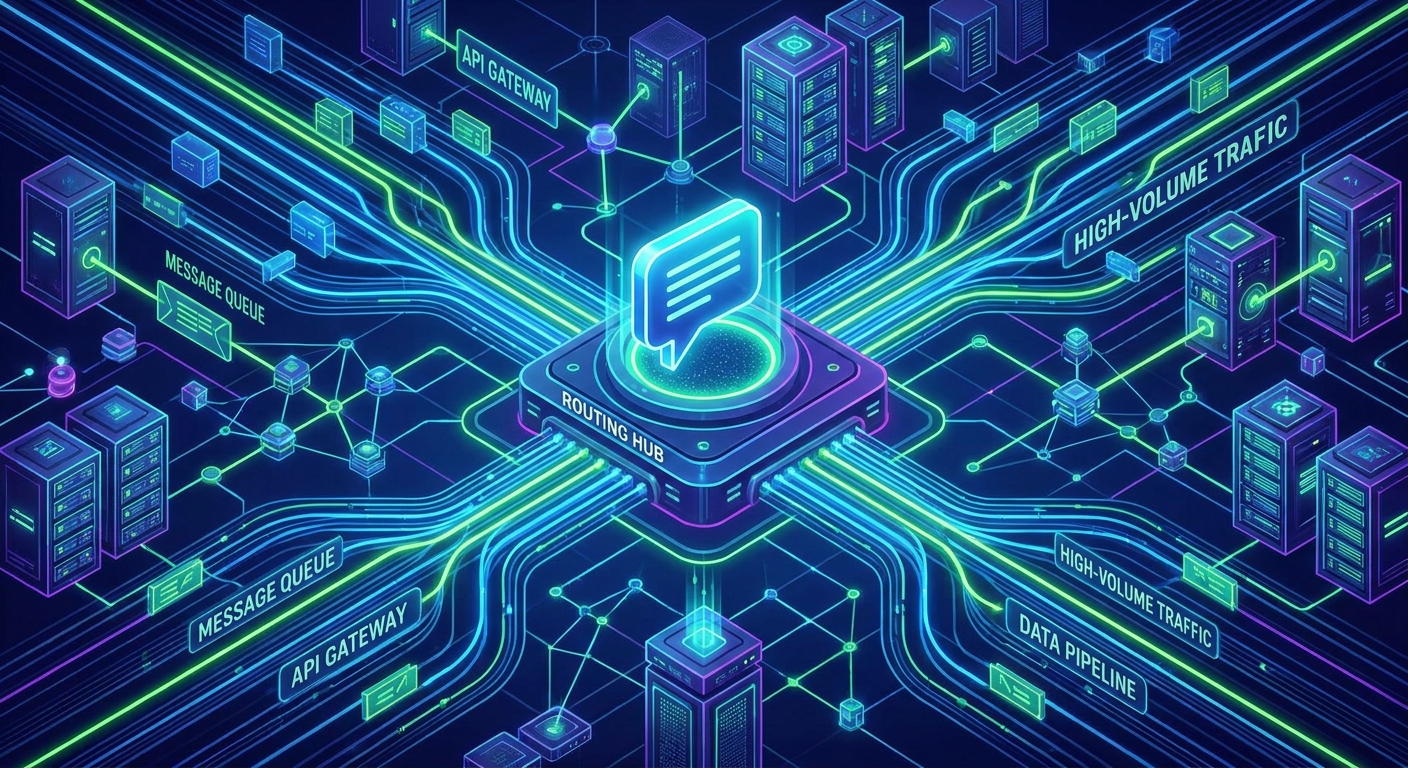
A scalable chatbot for whatsapp cannot rely on synchronous, single-threaded execution. To maintain high availability and low latency, lead engineers must decouple the messaging gateway from the conversational logic. A robust architecture typically consists of four distinct layers:
- The Messaging Gateway: This is the API layer responsible for maintaining the connection with the WhatsApp network, sending outgoing payloads, and broadcasting incoming messages. Platforms like WasenderApi act as this reliable gateway.
- The Webhook Ingestion Layer: A high-throughput endpoint designed solely to receive incoming webhooks, acknowledge receipt immediately (HTTP 200), and push the payload into a message broker.
- The State Management Database: A fast, in-memory datastore (such as Redis) that tracks user sessions, active conversational flows, and context windows for AI models.
- The Logic & Processing Engine: The worker nodes that consume messages from the queue, query the state, interact with NLP engines or LLMs, and format the outgoing response.
2. Designing a Fault-Tolerant Webhook Infrastructure
Webhooks are the lifeblood of any WhatsApp automation system. When a user interacts with your chatbot, the messaging gateway fires a webhook containing the message payload. If your server fails to process this webhook quickly, the gateway may retry, leading to duplicated messages, or drop it entirely, leading to broken conversations.
The Event-Driven Ingestion Pattern
Never process chatbot logic synchronously within the webhook receiver. Instead, implement an event-driven architecture:
- Immediate Acknowledgment: Your webhook endpoint should do nothing more than validate the payload and return a 200 OK status. This prevents timeout errors at the gateway level.
- Message Brokers: Push the incoming payload to a message queue (e.g., RabbitMQ, Apache Kafka, or AWS SQS). This acts as a shock absorber during traffic spikes, such as when a mass marketing broadcast triggers thousands of simultaneous replies.
- Asynchronous Workers: Deploy independent worker services that pull messages from the queue at their own pace, process the NLP logic, and trigger the outgoing API request.
3. Multi-Session Management for SaaS and Agencies
If you are building a white-label platform or an agency solution, your chatbot for WhatsApp must support multi-tenancy. This means handling dozens or hundreds of distinct WhatsApp numbers (sessions) simultaneously without cross-contamination of data.
Effective multi-session management requires a centralized routing system. When a webhook arrives, it must include an identifier for the specific session or instance that received the message. Your routing logic should use this identifier to:
- Route the message to the correct client's isolated logic environment.
- Retrieve the specific API credentials and configuration settings for that tenant.
- Maintain separate rate limits and queue priorities for different client tiers.
By centralizing the infrastructure through a unified REST API, developers can provision new sessions programmatically, monitor connection statuses across the fleet, and deploy updates to the chatbot engine without disrupting active conversations.
4. Intelligent Message Queueing and Deliverability
Marketing outcomes rely heavily on technical execution. A beautifully designed conversational flow is useless if messages are blocked due to rate limiting or anti-spam triggers. A sophisticated chatbot for WhatsApp must incorporate intelligent queueing for outgoing messages.
Implementing Priority Queues
Not all outgoing messages have the same urgency. Your architecture should implement priority queues to optimize user experience:
- High Priority (Synchronous Replies): Direct responses to user inquiries, OTPs, or customer support handoffs. These must be processed instantly to maintain conversational flow.
- Medium Priority (Triggered Notifications): Order updates, appointment reminders, or abandoned cart alerts.
- Low Priority (Bulk Marketing): Mass promotional broadcasts. These should be metered and trickled out slowly to protect the health of the WhatsApp session and avoid triggering spam filters.
By decoupling these queues, your high-volume marketing campaigns will never cause latency in your real-time customer support chatbot interactions.
5. Contextual State Management for Conversational AI
Modern chatbots are moving away from rigid, decision-tree menus and toward dynamic, AI-driven conversations. To support this, your infrastructure must manage conversational state efficiently.
Because HTTP and webhooks are stateless, your backend must reconstruct the context of a conversation every time a new message arrives. Best practices include:
- Short-Term Memory (Session State): Use an in-memory datastore to track the user's current step in a flow (e.g., "awaiting_email_input") or to hold the recent array of messages for LLM context windows. Set a Time-To-Live (TTL) on these records to clear inactive sessions automatically.
- Long-Term Memory (User Profile): Use a relational database to store permanent user attributes, past purchase history, and opt-in status. This data empowers the chatbot to personalize interactions, significantly increasing conversion rates.
6. Integrating the Execution Layer with WasenderApi
When your infrastructure is optimized, the final step is connecting it to a reliable gateway. WasenderApi provides a robust, developer-friendly REST API designed specifically for high-volume, multi-session environments.
Rather than wrestling with complex protocol implementations or managing fragile local instances, developers can leverage WasenderApi to handle the heavy lifting of session connectivity, media uploads, and real-time webhook dispatching. This allows your engineering team to focus entirely on building superior conversational logic and business value. For technical details on implementing endpoints, formatting message payloads, and configuring webhook URLs, refer to the official API documentation.
Conclusion
Deploying a scalable chatbot for whatsapp requires much more than a clever script; it demands a resilient, event-driven infrastructure. By implementing decoupled webhook ingestion, intelligent priority queueing, and multi-tenant session management, technical teams can ensure their conversational automation operates reliably at scale. Partnering with a stable gateway infrastructure allows you to turn complex customer communication into a streamlined, high-converting automated engine.
Frequently Asked Questions
What is the best architecture for a scalable chatbot for WhatsApp?
The most scalable architecture is event-driven. It involves decoupling the webhook receiver from the processing logic using a message broker (like RabbitMQ or SQS). This ensures that incoming messages are acknowledged instantly, preventing timeouts and dropped messages during high-traffic periods.
How do I handle webhooks reliably during high-volume messaging?
To handle webhooks reliably, your endpoint should only validate the incoming payload and return an HTTP 200 OK status immediately. The actual chatbot logic, database queries, and API calls to send responses should be handled asynchronously by background worker processes pulling from a queue.
Can I manage multiple chatbot sessions for different clients on one platform?
Yes. Multi-tenant SaaS applications and marketing agencies can manage multiple sessions by utilizing a centralized REST API gateway. Webhooks can be routed based on the receiving instance ID, allowing you to isolate client data, maintain separate state management, and enforce distinct rate limits per account.
Related Posts

n8n + WaSenderAPI: Master WhatsApp Automation Without Code (2025 Guide)
Discover the most affordable WhatsApp automation solution only $6/month with WaSenderAPI combined with no-code n8n workflows. Build perfect, custom WhatsApp automations quickly and easily without coding. Follow our step-by-step guide to save costs while creating powerful, scalable, and secure WhatsApp messaging for your business.

Create a Free WhatsApp AI Chat Bot with Python and Gemini (Full Guide)
Learn how to create a free WhatsApp AI chatbot using Python, Google’s Gemini API, and WaSenderAPI. This step-by-step guide helps you build and deploy an intelligent WhatsApp assistant at minimal cost no need for WhatsApp Business API.

WhatsApp API Rate Limits Explained: How to Scale Messaging Safely in 2025
Struggling with WhatsApp messaging restrictions? Learn how Meta's tier system works, how to upgrade your daily limits, and how to scale your broadcasts safely without getting banned.