
How to Use WhatsApp API for SaaS Customer Onboarding to Skyrocket Activation
The Activation Gap: Why SaaS Startups Are Losing Users
In the competitive world of SaaS, the first 24 hours of a user's journey are critical. Statistics show that the average SaaS product loses up to 75% of new users within the first week. This 'activation gap' often occurs because traditional communication channels, like email, are saturated. With average email open rates hovering around 20%, your 'Welcome' and 'Getting Started' guides are likely being ignored. This is where WhatsApp API for SaaS customer onboarding becomes a game-changer.
By meeting users where they already spend their time, you can cut through the noise. WhatsApp boasts an incredible 98% open rate, with most messages read within three minutes. For a SaaS founder or developer, this means your onboarding instructions, feature highlights, and 'Aha!' moments are virtually guaranteed to be seen. In this guide, we will explore how to integrate WhatsApp into your user journey to drive higher retention and faster product adoption.
Why WhatsApp API for SaaS Customer Onboarding Outperforms Email
Email is a formal, asynchronous channel that often feels like a chore to manage. Conversely, WhatsApp is personal, immediate, and conversational. When you implement WhatsApp API for SaaS customer onboarding, you shift the relationship from a vendor-client dynamic to a supportive partnership. Here is why it works:
- Instant Friction Removal: If a user gets stuck during setup, they can reply to your WhatsApp message and get an instant automated or human response.
- Higher Engagement: Interactive buttons and list messages allow users to navigate your onboarding flow without leaving the chat app.
- Contextual Timing: You can trigger messages based on specific in-app actions, such as completing a profile or inviting a team member.
- Global Reach: For international SaaS platforms, WhatsApp is the primary communication tool in markets across Europe, LATAM, and Asia.
The Psychological Impact of Instant Messaging
Psychologically, receiving a WhatsApp message triggers a sense of urgency and importance. For a new SaaS user, a well-timed message that says, "Hey, I noticed you haven't set up your first project yet—need a hand?" feels like proactive concierge service rather than a generic marketing blast. This builds trust and authority from day one.
Designing Your Automated Onboarding Sequence
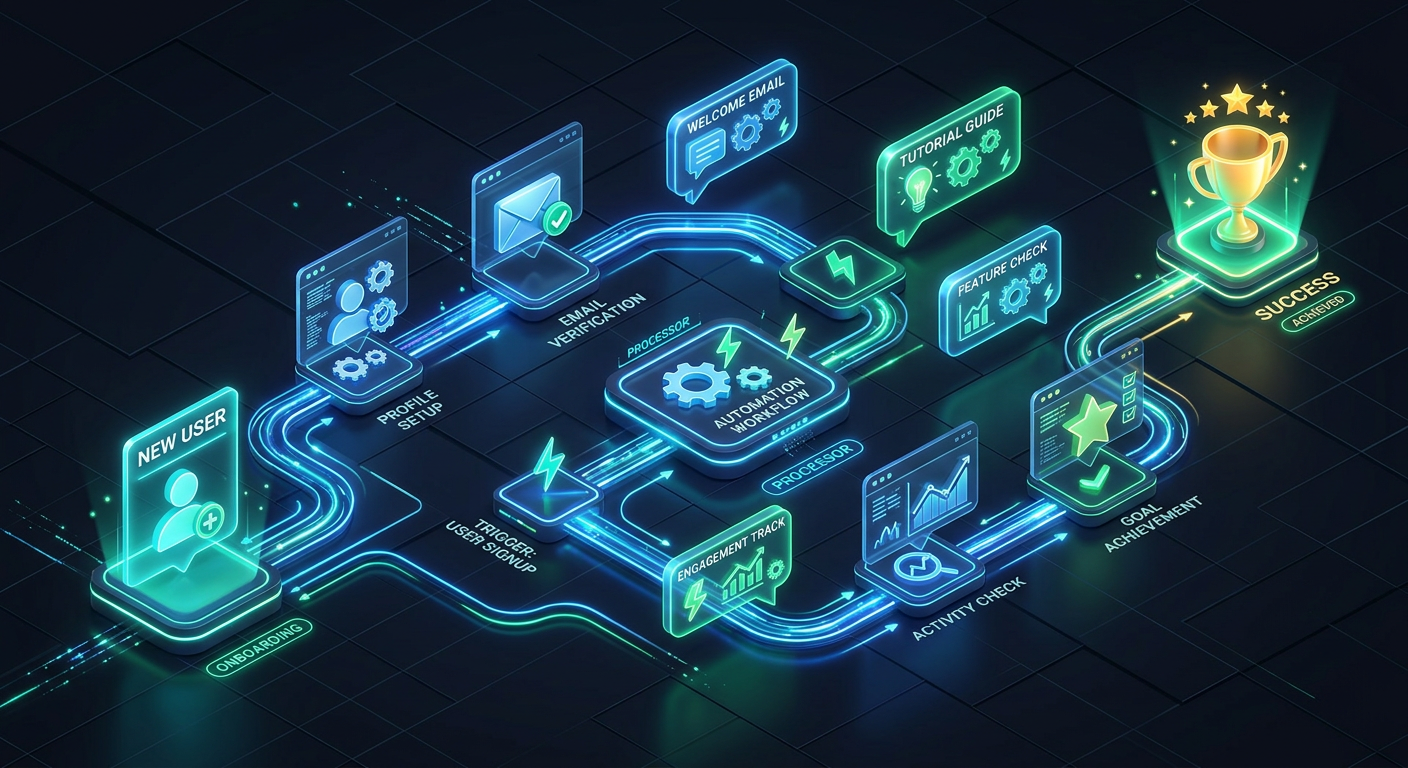
A successful onboarding strategy is not about spamming the user; it is about providing the right value at the right time. Here is a recommended 5-step sequence for your SaaS onboarding via WhatsApp API.
Step 1: The Instant Welcome & Value Prop
As soon as a user signs up on your website, trigger an automated welcome message. Instead of just saying "Welcome," remind them of the core benefit they are seeking. For example: "Hi [Name]! Welcome to [SaaS Name]. You're one step away from automating your workflow. Let's get your first project live!"
Step 2: The Guided Setup (The 'Aha!' Moment)
Identify the one action that correlates most with long-term retention—the 'Aha!' moment. Use the WhatsApp API to send a short video tutorial or a numbered list of steps to reach that milestone. Bold text can be used to emphasize the most important steps.
Step 3: Milestone Celebrations
Positive reinforcement is a powerful motivator. When a user completes their first task or reaches a usage threshold, send a congratulatory message. This builds a positive emotional connection with your brand.
Technical Implementation: Connecting Your SaaS to WaSenderAPI
Integrating WhatsApp API for SaaS customer onboarding doesn't have to be a complex, months-long project. By using a developer-friendly platform like WaSenderAPI, you can get up and running in minutes using standard REST API calls. Here is a high-level overview of the integration process:
- Obtain Your API Key: Sign up for a WaSenderAPI account and grab your unique API token from the dashboard.
- Connect Your Instance: Scan the QR code with your dedicated onboarding WhatsApp number to link your device.
- Set Up Webhooks: Configure webhooks to listen for user replies, allowing your system to handle support queries or trigger next steps in the onboarding flow.
- Trigger via App Events: Use a simple POST request from your backend (Node.js, Python, PHP, etc.) whenever a new user registers in your database.
Using a tool like WaSenderAPI is particularly beneficial for startups because it avoids the strict template approval process and high per-message costs associated with the official Meta API, while still providing the reliability needed for transactional SaaS messaging.
5 High-Impact WhatsApp Automation Workflows for SaaS
Beyond the initial welcome, there are several specific workflows that can significantly impact your bottom line:
- Trial Expiry Reminders: Send a message 48 hours before a trial ends, offering a demo or a small discount to convert them to a paid plan.
- Inactivity Triggers: If a user hasn't logged in for 3 days, send a "We miss you" message with a link to a new feature update.
- Payment Failure Alerts: Email notifications for failed payments are often missed. A WhatsApp alert ensures the user can update their billing info before their service is interrupted.
- Feature Discovery: When you launch a new module, send a targeted message to users who would benefit most from it based on their usage patterns.
- NPS and Feedback Collection: Ask for a rating directly in the chat. Users are much more likely to tap a button in WhatsApp than fill out an external survey link.
Best Practices for SaaS WhatsApp Automation
To maintain a high sender reputation and avoid being blocked, follow these essential rules:
- Always Get Opt-In: Ensure your signup form has a checkbox (e.g., "Receive onboarding assistance via WhatsApp").
- Provide an Easy Out: Always include a way to opt-out, such as "Reply STOP to unsubscribe."
- Keep it Concise: WhatsApp is for short, punchy communication. If you need to explain something complex, link to your documentation.
- Human Fallback: Ensure that if a user asks a question the bot can't answer, a human support agent is notified to take over the conversation.
Measuring the ROI of WhatsApp Onboarding
How do you know if your WhatsApp API for SaaS customer onboarding strategy is working? Track these three key metrics:
1. Activation Rate
Compare the percentage of users who reach the 'Aha!' moment in your control group (email only) versus your WhatsApp group. You will likely see a significant lift in the latter.
2. Time-to-Value (TTV)
Measure how long it takes for a user to complete their first meaningful action. WhatsApp's immediacy typically reduces TTV by hours or even days.
3. Churn Rate (Day 1 to Day 30)
Monitor the retention curve. Users who engage with a brand on multiple channels (Email + WhatsApp) are statistically more likely to become long-term subscribers.
Conclusion: The Future of SaaS Communication
The era of relying solely on email for user engagement is over. As the SaaS market becomes more crowded, the companies that win will be those that provide the most seamless, responsive, and personalized experience. Implementing WhatsApp API for SaaS customer onboarding is no longer just an 'extra'—it is a strategic necessity for growth-focused companies.
By leveraging the power of WaSenderAPI, you can automate these high-value interactions at a fraction of the cost of other providers. Start building your onboarding sequence today and watch your activation rates soar. Remember, the goal of onboarding is to turn a stranger into a successful user as quickly as possible; WhatsApp is the fastest bridge to that success.
Related Posts

n8n + WaSenderAPI: Master WhatsApp Automation Without Code (2025 Guide)
Discover the most affordable WhatsApp automation solution only $6/month with WaSenderAPI combined with no-code n8n workflows. Build perfect, custom WhatsApp automations quickly and easily without coding. Follow our step-by-step guide to save costs while creating powerful, scalable, and secure WhatsApp messaging for your business.

Create a Free WhatsApp AI Chat Bot with Python and Gemini (Full Guide)
Learn how to create a free WhatsApp AI chatbot using Python, Google’s Gemini API, and WaSenderAPI. This step-by-step guide helps you build and deploy an intelligent WhatsApp assistant at minimal cost no need for WhatsApp Business API.

WhatsApp API Rate Limits Explained: How to Scale Messaging Safely in 2025
Struggling with WhatsApp messaging restrictions? Learn how Meta's tier system works, how to upgrade your daily limits, and how to scale your broadcasts safely without getting banned.